Apple completely revamped iOS 27’s controls and apps for the iPhone Duo
The iPhone Duo is also the first iPhone to support the Apple Pencil.
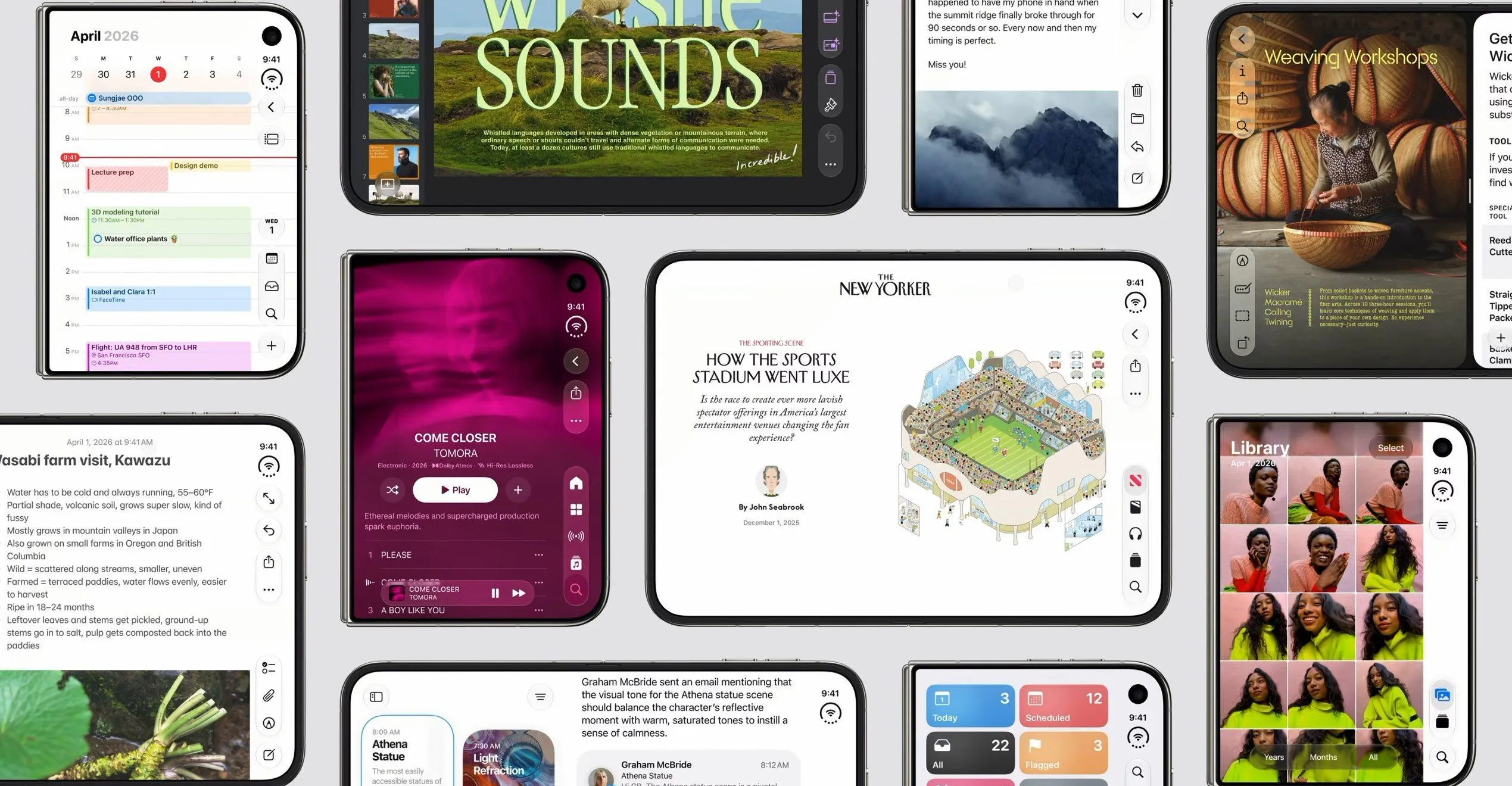
Obviously, part of the appeal of a foldable phone is all that additional screen real estate. That gives you plenty of room for some serious multitasking that just isn’t possible, or at the very least is clunky, on a smaller screen. Apple rarely does things without seriously considering all the implications, so it was never just going to shove iOS as-is into its new foldable. The company didn’t have to start from scratch or reinvent the wheel, however. It already had a mobile OS capable of multitasking in iPadOS, which was built on iOS to begin with. The company even said that the iPhone Duo was designed to be “as natural and intuitive as iPad.” [Image: The traditional iOS 27 controls move to the side to make them easier to use when the phone is open, keeping them in easy reach of your thumb. iOS 27 also adjusts the layout of every app to take advantage of the increased interior real estate and the wider aspect ratio of the external screen. When open, the iPhone Duo will show two homescreens, with Today View, a scrollable list of widgets, on the lefthand side, and your standard app icons on the right. Status icons, like Wi-Fi and the clock, move from a standard status bar, to the top right corner to maximize vertical screen real estate. iOS 27 also has a unique standby mode for the Duo that basically turns it into a smart display. Place it on a table in a tent orientation, and full-screen widgets will display your calendar, the weather, or turn the iPhone Duo into a digital photo frame. [Image: iPhone Duo is also the first iPhone to support the Apple Pencil, and you can use it on either the outer or inner display. Though the feature might not be available at launch, as Apple’s press release says, it will support the Apple Pencil with USB-C “later this year.” Because no other iPhone has ever had multiple screens or a flexible screen, Apple had to think about how to handle these new features. This means making it usable in a variety of orientations and poses. Hold the inner display partially open like a book, and iOS 27 moves content away from the fold, ensuring it remains visible. You can also fold it like a tent, place it on a table, and watch videos on the external screen. [Media:
Topics in this story
Gathered from external sources. Rights to this text belong to whoever originally published it.