Microsoft rebrands its Android Your Phone companion app to Phone Link
Microsoft is rebranding Your Phone to Phone Link. The updated app includes a design that matches Windows 11 and support for some Honor devices.
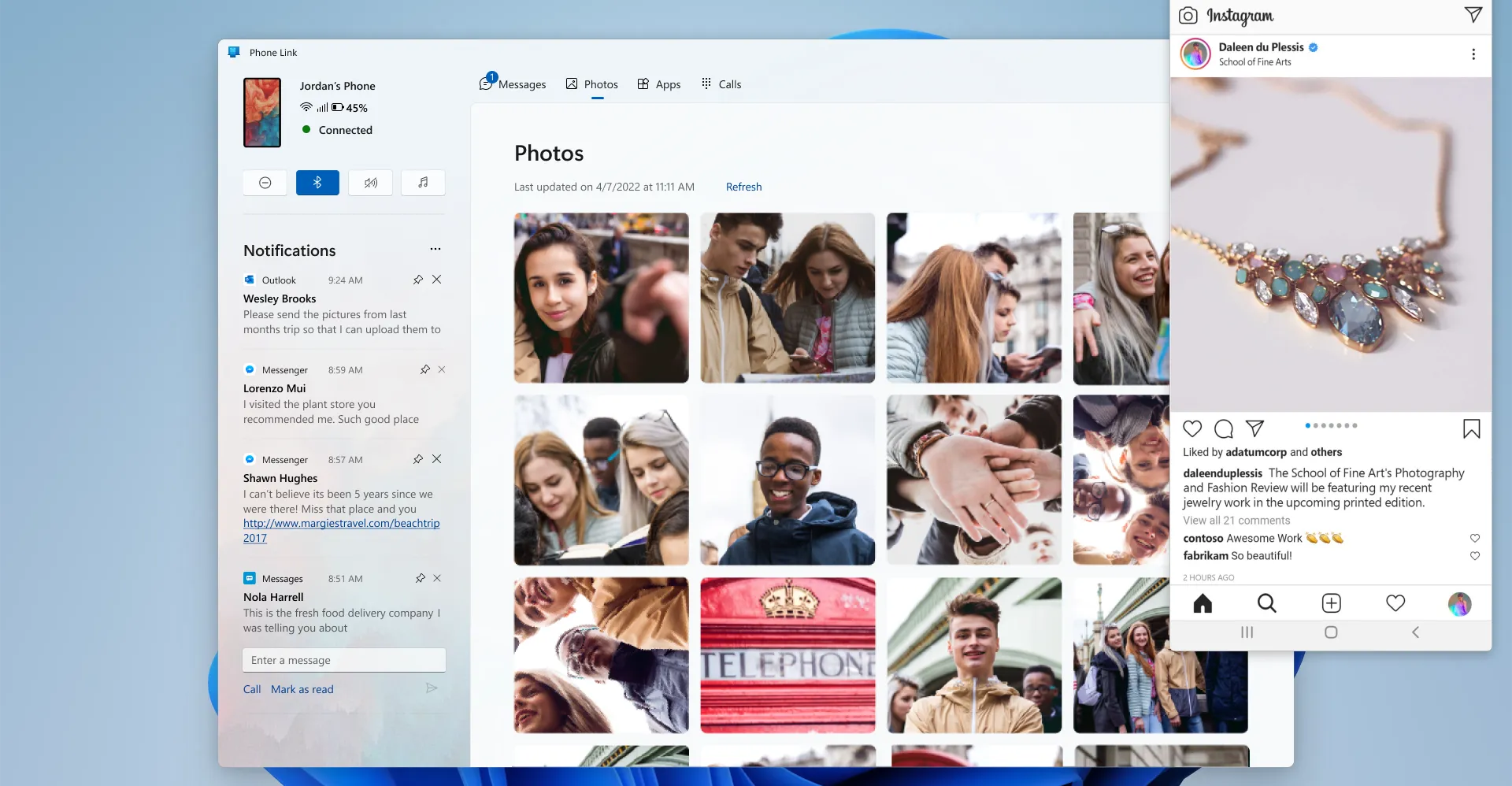
Microsoft is rebranding its Your Phone app to Phone Link and updating it with a Windows 11 design overhaul. Your Phone launched more than three years ago as a key way to link an Android phone to Windows and avoid picking up your device to check calls or notifications. Phone Link is naturally a better description for the app, and it has now been updated to match the Windows 11 design changes. Phone Link now places the notification panel upfront, and the notifications tab is now pinned to the left-hand side panel. Microsoft has also moved the Messages, Photos, Apps, and Calls sections into a navigation bar that sits at the top of Phone Link. The notifications section has also been cleaned up to make it easier to see the notifications that matter. [Image: The new Phone Link interface on Windows 11. The updated Phone Link app includes a color palette and design that matches Windows 11, with refreshed controls, illustrations, and iconography. The Your Phone Companion app for Android is also being rebranded to Link to Windows, and both apps will share the same icon. Beyond the changes in design, Microsoft is also making Phone Link available in China thanks to a partnership with Honor. Phone Link now supports the Honor Magic V, Magic 4 series, and Magic 3 series of devices. Otherwise, the best Phone Link features are still largely limited to Samsung handsets and Microsoft’s Surface Duo devices. The latest Phone Link update is available today, and with the next Windows 11 update, you’ll also be able to enable Phone Link just by scanning a QR code during setup.
Gathered from external sources. Rights to this text belong to whoever originally published it.