SanDisk MicroSD Express Review: Super-Fast Storage for Your Switch 2
If you care about raw throughput when picking a microSD Express card, SanDisk’s officially-licensed microSD Express Card for Nintendo Switch 2 may be the one to beat. I’ve been testing one for the last week, and in almost every test I threw at it, it outdid IGN’s current budget pick for the best Nintendo Switch 2 microSD Express card, the Samsung P9 Express.
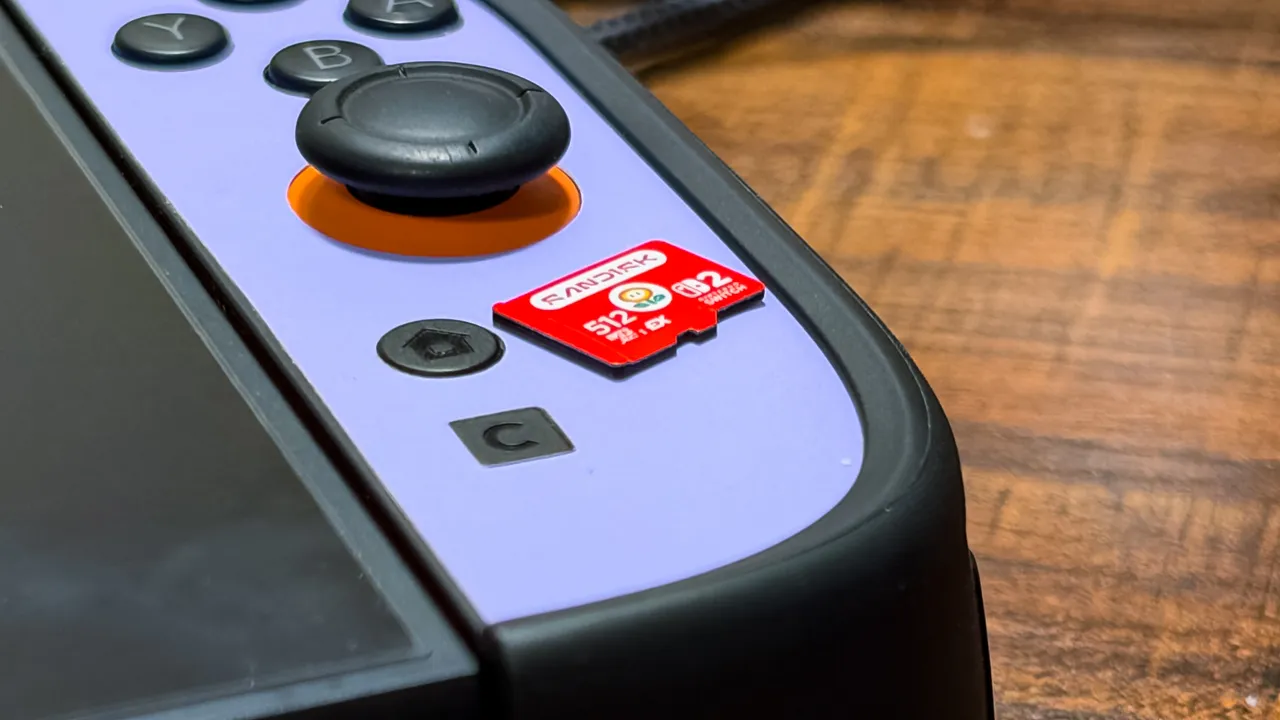
If you care about raw throughput when picking a microSD Express card, SanDisk’s officially-licensed microSD Express Card for Nintendo Switch 2 may be the one to beat. I’ve been testing one for the last week, and in almost every test I threw at it, it outdid IGN’s current budget pick for the best Nintendo Switch 2 microSD Express card , the Samsung P9 Express.
The real question is whether that’s even worth paying for. MicroSD Express cards are already very fast compared to the older microSD ones still used on every gaming handheld that’s not the Switch 2, and it’s not even close. SanDisk’s card is demonstrably faster in many ways than competing options from PNY and Samsung, but unless you’re transferring game files back and forth between it and your Switch 2, you’re really not going to notice. Faster is better, but there are other things to consider, including price.
SanDisk offers its card in 256GB, 512GB, and 1TB capacities. I’ve found 512GB to be the sweet spot, giving you three quarters of a terabyte overall when you factor in the console’s internal 256GB storage. But SanDisk’s cards cost more than similar options from PNY or Walmart’s Onn brand .
SanDisk MicroSD Express Card – Hands-On Photos
When you’re looking at the specs for a microSD Express card for Switch 2, you can safely ignore the main throughput numbers that most manufacturers like to promote. In the case of SanDisk’s card, that’s 880 MB/s reads and 650MB/s writes, which is faster than almost all the other cards I’ve tested! (The only one rated higher is the PNY one, at 890MB/s and 750MB/s, respectively.) But that number refers to the sequential read figure, and as my testing showed, is a poor reflection of actual performance during the random reads and writes.
See, video games aren’t monolithic files; they’re packages containing countless smaller files so the process of transferring them is constantly starting and stopping, slowing things significantly. How well a card performs there depends on how it handles these herky-jerky transfers.
Getting a handle on a microSD Express card’s Switch 2 throughput means timing file transfers between it and my console in docked mode. And in that, SanDisk’s card proved super capable. For instance, it reached 94 MB/s when writing Mario Kart World, currently a 22GB game (versus 21.9GB when I tested for the Samsung P9 Express before) to the card. It was actually slightly slower when it came to moving games back to the Switch 2’s internal storage, only mustering 91MB/s.
That played out the same way for every game I tested. It averaged 105MB/s when I transferred Resident Evil 4 to the card and just 80MB/s on the way back to the console, and I measured 95MB/s to the card and 85MB/s from it when moving Super Smash Bros. back and forth. The 8.9GB Donkey Kong Bananza was the fastest one; it took just over a minute to write the 8.9GB game to the card, making its throughput 122MB/s. (It averaged 88MB/s when I sent it back to internal storage.)
Despite yielding slower reads than writes, SanDisk’s card still outperformed most other cards I’ve tested in most cases. Samsung’s card put up a higher 96MB/s when I transferred Resident Evil 4 from it to my Switch 2 but otherwise ranged between about 1MB/s to 12MB/s slower on other games. The PNY card put up mostly similar read speeds, but managed closer to half the writes of the SanDisk option when it came to write speeds. That could be a difference of minutes on larger files — Mario Kart World took over seven minutes to write to PNY’s card, something that only took about four minutes with SanDisk’s. Basically, if you find yourself shuffling games on and off your Switch 2, the SanDisk microSD Express card could save you real time.
Things equalize where it’s most important: actual loading times for games. Measuring these, I found that the SanDisk card looked almost exactly the same as both the PNY and Samsung cards I tested before. Donkey Kong Bananza took 21 seconds to go from choosing it on the Switch 2’s home screen to its title screen, just like those cards. Mario Kart World averaged 19.4 seconds, or a tenth of a second behind the PNY card and about two seconds faster than the Samsung P9. It got me into The Legend of Zelda: Tears of the Kingdom nearly a full second faster, at 8.5 seconds, than either of those cards, though.
It’s clear that SanDisk’s officially-licensed Switch 2 card is at least as good as the other high-performing cards on the market, so you won’t be disappointed. It’s still slower than loading games from the Switch 2’s internal storage for the most part, but the difference is negligible – most games only load a fraction of a second faster from the Switch 2 itself than from microSD Express.
Wes is a freelance writer (Freelance Wes, they call him) who has covered technology, gaming, and entertainment steadily since 2020 at Gizmodo, Tom's Hardware, Hardcore Gamer, and most recently, The Verge. Inside of him there are two wolves: one that thinks it wouldn't be so bad to start collecting game consoles again, and the other who also thinks this, but more strongly.
Topics in this story
Gathered from external sources. Rights to this text belong to whoever originally published it.