Best Budget Gaming Keyboards in 2026
Not everyone can afford expensive peripherals, so here are our picks for the best budget gaming keyboards.
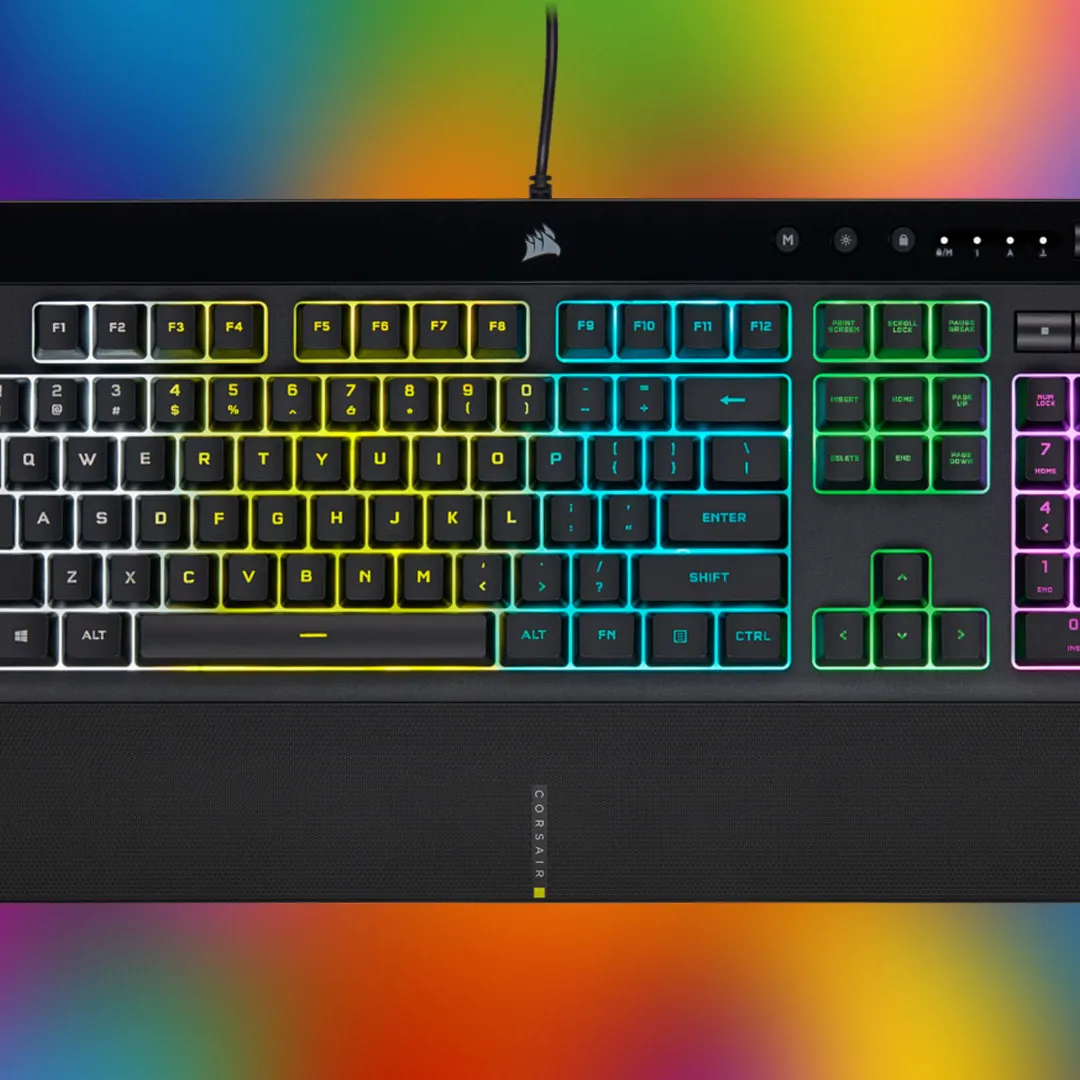
Budget keyboards have massively improved over the past few years. There are now some great mechanical and membrane options with many of the same features as high-end boards from a few years ago. That makes it a great time to swap from an old, tired keyboard to a proper gaming board that can provide a small competitive edge – and make your gaming time much more comfortable.
TL;DR – These Are the Best Budget Gaming Keyboards:
Many budget gaming keyboards come with plenty of features, like programmable keys, RGB lighting, onboard controls, and so on. Sure, you might have to downsize a little or sacrifice a few fancy features, but you can also find the best gaming keyboard to compliment your existing gaming PC setup.
The SteelSeries Apex 3 TKL is proof that a gaming keyboard doesn’t have to be expensive to keep up. This $45 option already ticks a lot of things off the list including being water- and dust-resistant, silent switches ideal for late-night gaming, and it even has adjustable feet for your gaming comfort. Also, apart from its dedicated media keys, it’s also fully macro-programmable, which makes it an excellent budget choice for RPG, MMO, and MOBA gamers.
That’s not all; this feature-rich keyboard includes three-way cable management built-in and eight customizable RGB lighting zones. Simply put, it’s packed with great features and delivers a solid performance you wouldn’t expect from a sub-$50 keyboard. Plus, if you like this in a full-sized version, the SteelSeries Apex 3 comes with pretty much the same features.
The Gamakay TK75HE V2 is a feature-rich mechanical gaming keyboard with Hall Effect switches. Unlike regular mechanical switches, these are analogue, so you can adjust how far down you need to press to trigger an input, enable rapid trigger mode to aid responsiveness and even improve your movement mechanics with SOCD. Polling rates can be set up to 8000Hz wired, while 2.4GHz wireless and Bluetooth connectivity adds flexibility for use with other devices.
Beyond these FPS-focused features, the TK75HE V2 is just a great keyboard to use, with a convenient and compact 75% layout, an integrated volume wheel in the top right and a miniature LCD display in the bottom right. The typing experience is surprisingly good for a keyboard at this sub-$80 price point, and the Magnetic Phoenix switches we recommend are quite quiet for a mechanical keyboard too. Overall, a great value option that is amongst the best available from a smaller keyboard brand.
The Logitech K845 is unlike any gaming keyboard you’ve ever seen. In fact, Logitech has taken great lengths to prove that a gaming keyboard can look just as sleek and as elegant as the best keyboards for productivity. Make no mistake, though; this mechanical keyboard is just as excellent for gaming as it is for typing up emails and documents. As long as you’re not seeking tournament-level performance, that is.
You even have your pick of mechanical switches, so you can get the one that feels most comfortable and satisfying to you. It’s a bit minimalist on features, with just five lighting patterns on hand for backlighting and no macro recording. However, it’s an excellent budget keyboard if you need one to see you through all your computing needs, including casual gaming. Plus, for a sub-$60 option, you’re getting a robust option that’s rated for up to 50 million clicks.
The RGB lighting on the Roccat Magma might overwhelm you. Or, you might absolutely love it. The 5-zone, 10-LED RGBA backlighting doesn’t just light up the symbols on the keys; it makes the whole keyboard deck glow beautifully. Of course, it doesn’t just look good; it performs beautifully as well. Its keys aren’t just quiet, due to its silent membrane switches; they’re also reasonably responsive for gaming.
Of course, its Roccat Easy-Shift[+] button duplicator, which gives you a second set of functions on the WASD zone, might help with your gaming performance as well. That’s a lot of premium features on a gaming keyboard that’s now under $50. It even has a detachable palm rest, which to be honest is nothing to write home about, but it adds to its value.
The Keychron V3 is a budget gaming keyboard that is suitable for gamers, programmers, and casual users. It’s compatible with Windows, Mac, and Linux, featuring a TKL design with 87 keys. Despite its wired connection, the keyboard is portable thanks to its compact size.
This affordable gaming keyboard offers QMK/VIA support, allowing you to change keymaps on your keyboard without installing any software on your PC. Fully customizable from top to bottom, the Keychron V3 offers hot-swappable support so you can change out your switches to almost any 3-pin or 5-pin MX mechanical switches available. The double-shot PBT keycaps extend the durability of this keyboard while keeping the price down, and feel comfortable no matter if you’re firing spells in an RPG, or switching weapons in a shooter.
Before you start your search for a budget gaming keyboard, you need to set a max price you’re willing to spend. Many great affordable options are available for $100 or less, and you’ll even find some reliable keyboards for under $50 – just don’t expect loads of gaming features. But, no matter what, you don’t need to worry about this great gaming accessory being a big expense.
After you decide on your budget, you need to select your design. Do you want full-size, TKL, or something even more compact? TKL and compact boards like 75%, 65% and 60% are better for those who want to have plenty of mousing space or play on a small desk, while full-size is best for those who need a num pad or tons of extra keys. You also need to determine if you want wired or wireless connectivity. Wired options are cheaper, but wireless keyboards can add some extra flexibility and a cleaner look – though having to recharge them can be annoying.
The switch type is equally important. Membrane switches are made of the same stuff as buttons on a TV remote, so they harden over time and don't deliver much tactile feedback, nor are they customisable with new keycaps. However, they are generally the cheapest option and they tend to be quiet, too. Mechanical switches deliver a significantly better feel that doesn't degrade over time, with more customisation options and a galaxy of different varieties that can feel heavy or light; clicky, tactile or linear, and loud or quiet.
Additional features are what make your keyboard and gaming keyboard. Is per-key RGB lighting a must? Do you need fully programmable macro keys for RPG, MMO, and MOBA games? How about n-key rollover to ensure you can press multiple keys simultaneously? Most gaming keyboards will have most of these features nowadays, but it's worth checking to make sure that the keyboard you're considering has all of the bells and whistles that you think are essential.
Keyboard and Mouse vs. Controller for Gaming
The biggest – and most obvious – difference between the best PC controllers and a gaming keyboard and mouse combo is the physical design of the peripherals. A great controller rests in your hands, putting all the inputs in an easy-to-reach location, making it ergonomic and simple to use. Its buttons and triggers are also often remappable. A keyboard and gaming mouse combo is larger and more spread out, requiring you to use a gaming desk or lapdesk when playing. However, you get an excess of possible inputs at your fingertips, and oftentimes, each key and button is customizable.
Where a keyboard and mouse pairing often pulls ahead of controllers is in precision and responsiveness, so most will turn to this trusty combo when playing competitive FPS. But the analog sticks on a gamepad deliver smoother control over certian movements, which is a boon in racing games. Modern controllers even offer haptic feedback for a more immersive gaming experience.
Still, whichever input device you choose, it’s more a matter of personal preference than anything else. While playing the best PC games with a comfortable controller might seem sacrilege to an accuracy-focused keyboard and mouse enthusiast, you just need to do you.
Yes, the best wireless keyboards can be just as good for gaming as their wired counterparts, depending on the type of connection available. You’ll want to grab a keyboard offering a dedicated 2.4GHz wireless dongle for a reliable, speedy link to your gaming PC. That type of connection, especially in the best high-end gaming keyboards , usually offers similar latency to wired keyboards. Replacing or recharging batteries is necessary, but luckily, most wireless keyboards last weeks or months as long as RGB lighting is disabled. Plus, you no longer need to deal with a pesky wire.
Is an expensive gaming keyboard worth it?
Whether you splurge on a gaming keyboard depends on how often you play and if you do it competitively. For those who occasionally game after school or work, you’ll get by just fine with our budget-friendly picks. However, avid gamers, especially in those in competitive genres, can benefit from higher-quality switches and keycaps, more customization, and advanced features provided by magnetic switches. You’ll also see higher polling rates and additional features bring an edge over opponents. But the average gamer will get by without all these frills, saving a few bucks.
Will is deputy tech editor for IGN, specialising in PC hardware, sim racing and display tech. He has been publishing about games and technology since 2001 (age 12). Will was formerly Deputy Editor at Digital Foundry. He is currently playing BattleTech (2018) with the BattleTech Advanced Universe mod.
Topics in this story
Gathered from external sources. Rights to this text belong to whoever originally published it.