Levelling Up with LG: How 5K is Changing the Gaming Monitor in 2026
Levelling Up with LG: How 5K is Changing the Gaming Monitor in 2026
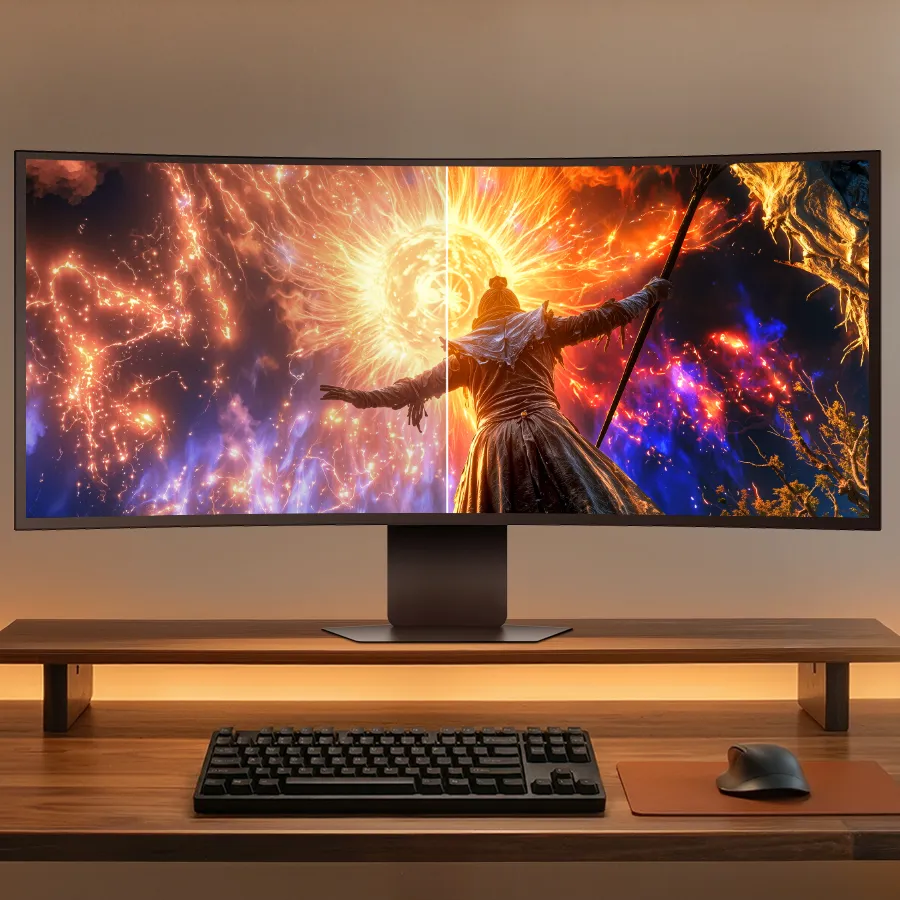
At the heart of any PC setup is your monitor. You can have the fastest and most powerful rig and peripherals going around, but it’s all bottlenecked by how fast and detailed you can see it.
LG has long been one of the leaders in the space, and the tech giant has just launched two new models that have caught our eye.
For those tight for space, the 27” LG UltraGear evo GM9 (27GM950B) Hyper Mini LED 5K monitor. And for gamers with a more spacious setup, the ultrawide OLED experience offered by the 39” LG UltraGear evo GX9 (39GX950B).
These are the next evolutionary step for the LG range, a foray into the territory of 5K content driven by an industry-first feature – AI upscaling to 5K in a gaming monitor. Game experiences outputted at WFHD (2560×1080) or higher resolution, are upscaled - on device! – up to 5K (depending on input quality), providing huge benefits to gamers.
Why? You don’t have to level-up your rig to get the result. As the 5K upscaling is done on the monitor, your existing PC hardware isn’t put under any additional strain, and you may not have to upgrade your desktop to benefit.
Breaking down the 27” LG UltraGear evo GM9
You’ll struggle to find a 27” monitor as sharp as the LG UltraGear evo GM9. Its 5120x2880 resolution presents over 14-million pixels at 218PPI, which doesn’t just make text far easier to read, but brings details like an opponent’s weapon into clarity.
The Hyper Mini LED panel also plays a key role. The “hyper” referring to the improvements in dimming zones (2,304) and LEDs (9,216) over a traditional Mini LED monitor (1.5x and 5.9x respectively). It allows the monitor to hit a peak brightness of 1250 nits and achieve both HDR 1000 while dramatically reducing blooming. All with Mini LED durability!
Sick of not seeing a muzzle-flash? Missing enemies hiding in the shadows? Is your target blurring as it runs across the screen? Not with the GM9.
It’s rich with other gaming features, too, including a 1ms grey-to-grey response time and VRR (NVIDIA G-SYNC, AMD FreeSync Premium). But Dual Mode has the most dynamic impact. At 5K, the monitor can refresh 165 times a second, accepting a very solid frame rate in full detail. But if you’re happy to sacrifice resolution for speed, Dual Mode doubles the Hz while reducing the resolution, happily receiving 330fps at 1440p.
It’s all unlocked by Ultra‑High Bit Rate 20 (UHBR20) support via the DisplayPort 2.1 port. It’s the highest bandwidth mode available in 2026, allowing that great resolution, refresh rate and HDR to journey from your GPU to the monitor.
That’s excellent. You can still immerse in 5K cinematic gaming experiences, then activate Dual Mode when speed-of-play is key – like multiplayer or racing games.
Breaking down the 39” LG UltraGear evo GX9
If you’ve never gamed on an ultrawide curved monitor before… oh boy. It takes immersion to a new level as the game world bleeds into your periphery. It feels like you’re really racing that car. Really standing on the bridge of that ship. Really climbing that ancient ruin. Plus, it’s awesome for productivity, too – like having two desktops in one.
Historically, ultrawide means sacrificing resolution, but the GX9 doesn’t compromise with its 5120x2160 (5K2K) resolution at 143ppi. The contrast in these panels is insanity at 1.85M:1, hitting a peak brightness of 1500 nits and HDR True Black 500. All leaning into the benefits of OLED, with a 0.03ms grey-to-grey response time.
The space between black and light is so distinct it pops – Cyberpunk 2077, Alan Wake, Hellblade and the like find new life. And like the GM9, it can keep pace with even the most powerful rigs, delivering 165Hz at 5K2K, or 330Hz at WFHD via Dual Mode. All while stuttering and tearing is fragged by the VRR power of NVIDIA G-SYNC and AMD FreeSync Premium Pro.
In gaming, now remains then… but with these new LG monitors, the gap is closing. These specs aren’t window dressing. They work together in a meaningful way to ensure you can finally see what your PC is delivering, meaning you can react faster. For gaming that means more immersion, better performance and more victories. While for your work productivity, you get to benefit from crisp clarity, more realistic colours and deeper contrast, reducing eye fatigue and improving precision.
Topics in this story
Gathered from external sources. Rights to this text belong to whoever originally published it.